
OCR scanned files
Read English text from a scan or image.
English OCR can make mistakes, especially on blurry scans or handwriting. Searchable PDF output rebuilds pages as images with recognized text. Check names and numbers before sharing. Processing stays in this browser.
Advanced options · choose a file to unlock
Turn an English scan into text you can review
Use a clear upright scan, choose a suitable output, and compare recognized names, dates and amounts with the source before sharing.
OCR is limited to English and up to 30 PDF pages. Reviewed text edits apply to TXT or Word exports, not the hidden OCR text in searchable-PDF output. Recognition accuracy varies with the source.
How to use OCR scanned files
- Choose a PDF, JPG, PNG, or WebP file in OCR scanned files.
- Choose TXT, Word, or searchable PDF output.
- To correct recognition before downloading, open Advanced OCR review editor and select Recognize and review text. Compare each source page with its editable text. Join single line breaks, restore recognized text, or undo the last helper if needed.
- Choose reviewed TXT or Word and enable Download reviewed text instead of quick OCR output. Choose Apply, Preview, then Download before changing files or tools; those changes clear your edits. Reviewed edits do not update searchable PDF output.
- Run OCR, then open the result and proofread names, dates, amounts, and small print against the original.
Recover text from a clear English scan
Use the practice scan containing “Delivery note”, reference FR-2048, and quantity 12.
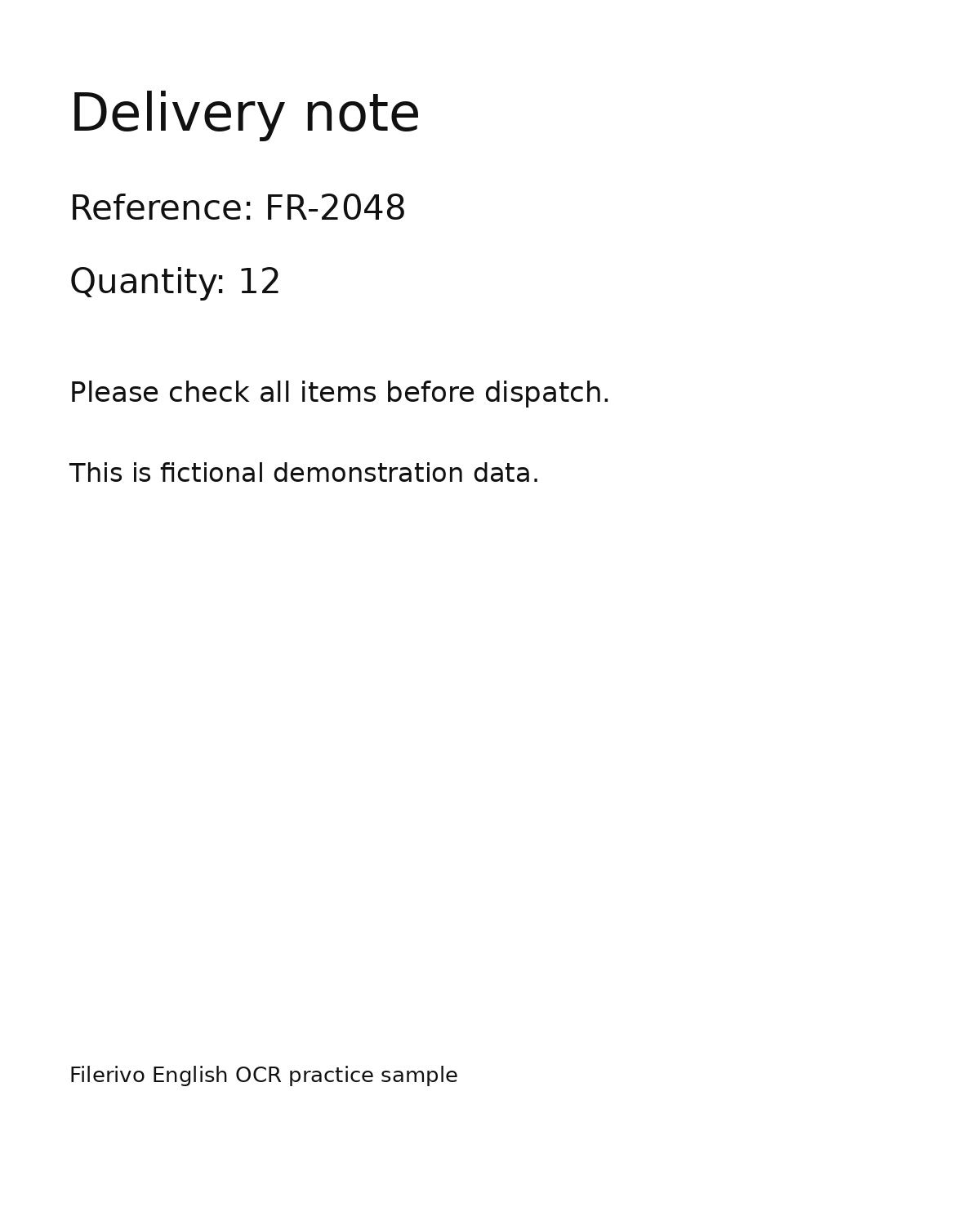
Filerivo-created demonstration files. No real personal or customer data. Settings below are a recipe, not an automatic preset.
- Choose the practice scan PNG and open Recognize and review text.
- Compare recognized text with the image. Correct the reference and quantity if recognition differs.
- Choose reviewed TXT, enable reviewed export, and choose Apply, Preview, then Download.
- Expected result
- Editable English text containing the source wording after your corrections. Exact spacing from the scan is not preserved.
- Check before sharing
- Check FR-2048 and 12 character by character. OCR accuracy is not guaranteed even on a clear sample.
Prepare and check your result
Choose Apply after selecting files and setting options. Preview inspects that prepared result; Download saves the same generated file. Apply again after changing files or settings. Keep your original and open important downloads in their intended application.
Tool-specific controls
Recognize and review text loads source pages beside editable recognized text. Correct names, numbers, and punctuation on each page. Join single line breaks changes wrapping; Restore recognized text discards corrections on that page, and Undo last helper reverses a helper action.
Reviewed output can be TXT or Word when Download reviewed text instead of quick OCR output is enabled. Searchable PDF remains a separate quick output and does not include review corrections. Cancel review recognition stops after the current operation; download edits before changing files or tools.
Limitations
OCR currently recognizes English only. PDFs are limited to 30 pages. Reviewed exports support up to 100,000 characters per page and 1,000,000 total. Handwriting, low contrast, skew, and unusual layouts can reduce accuracy. Word contains text rather than the original design. Searchable PDF remains a separate quick output: the PDF is rebuilt, its appearance can change, and review edits are not applied to its text layer. Cancel stops review recognition after the current operation finishes.
Troubleshooting
Recognition takes a long time
The first run loads recognition resources. Keep the tab open and try a smaller, clear image if device memory is limited.
Letters or numbers are wrong
Use a straight, well-lit, higher-resolution scan. Proofread and correct reviewed TXT or Word before downloading.
Reviewed edits are absent from searchable PDF
Reviewed corrections apply only to TXT or Word exports. Searchable PDF is a separate output path.
Still stuck? Keep the original and note the tool, file type, approximate size and error message. Contact Filerivo with those details; do not email confidential files.